Private iPhone app · Public beta now open

Use food before
it goes bad.

Fridge Forecast keeps what needs using next in sight, gives you one calm heads-up a day, and turns the food you rescue into progress you can actually see.

0accounts or analytics
1calm daily digest
7ways to get food in
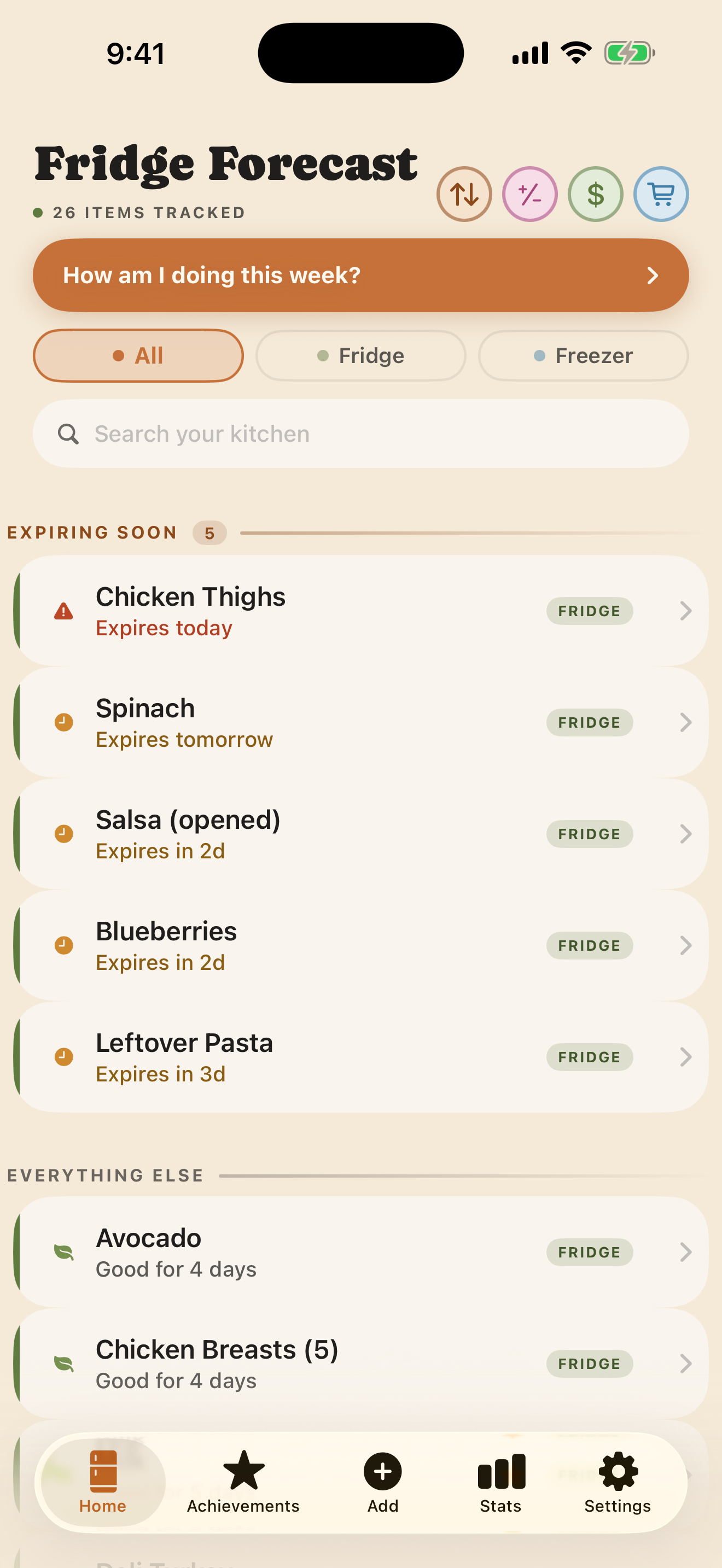
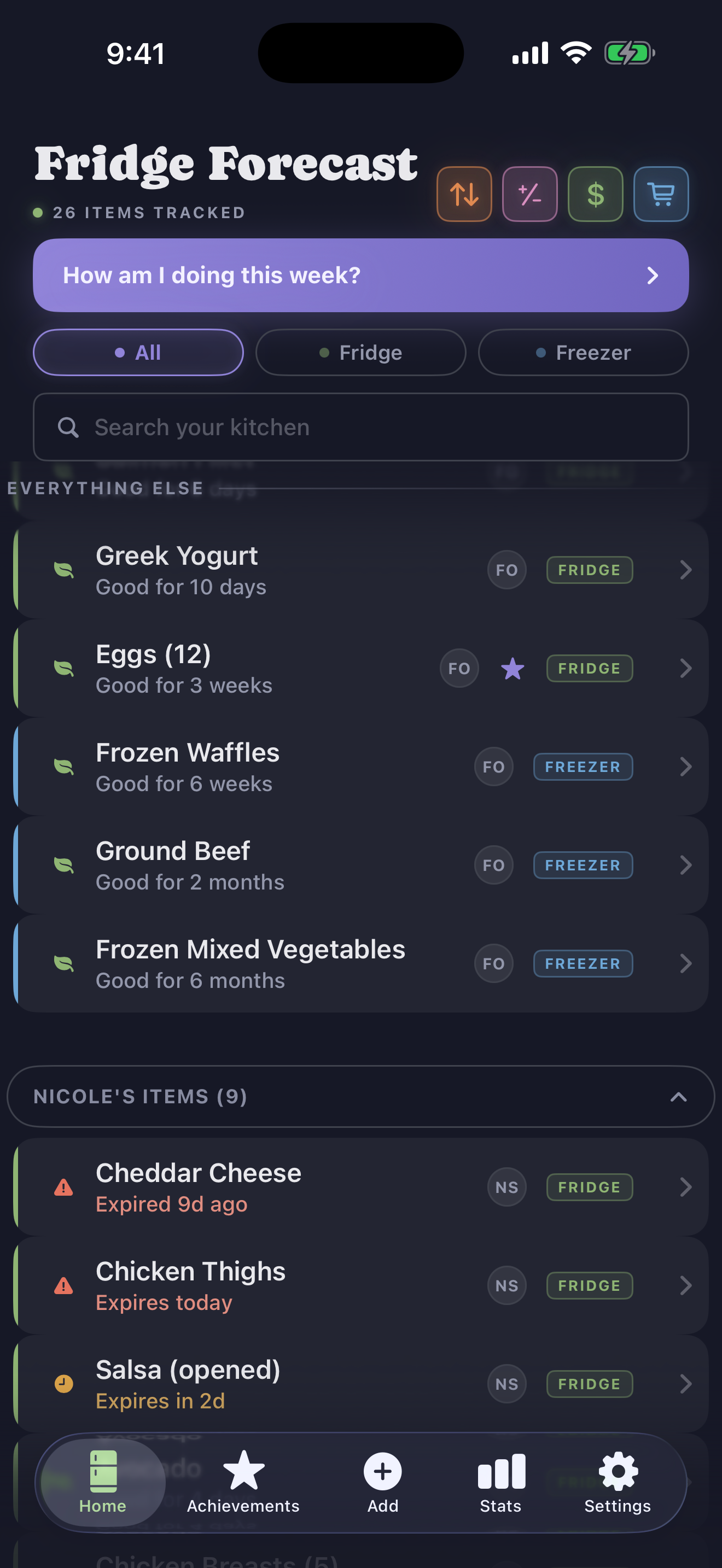
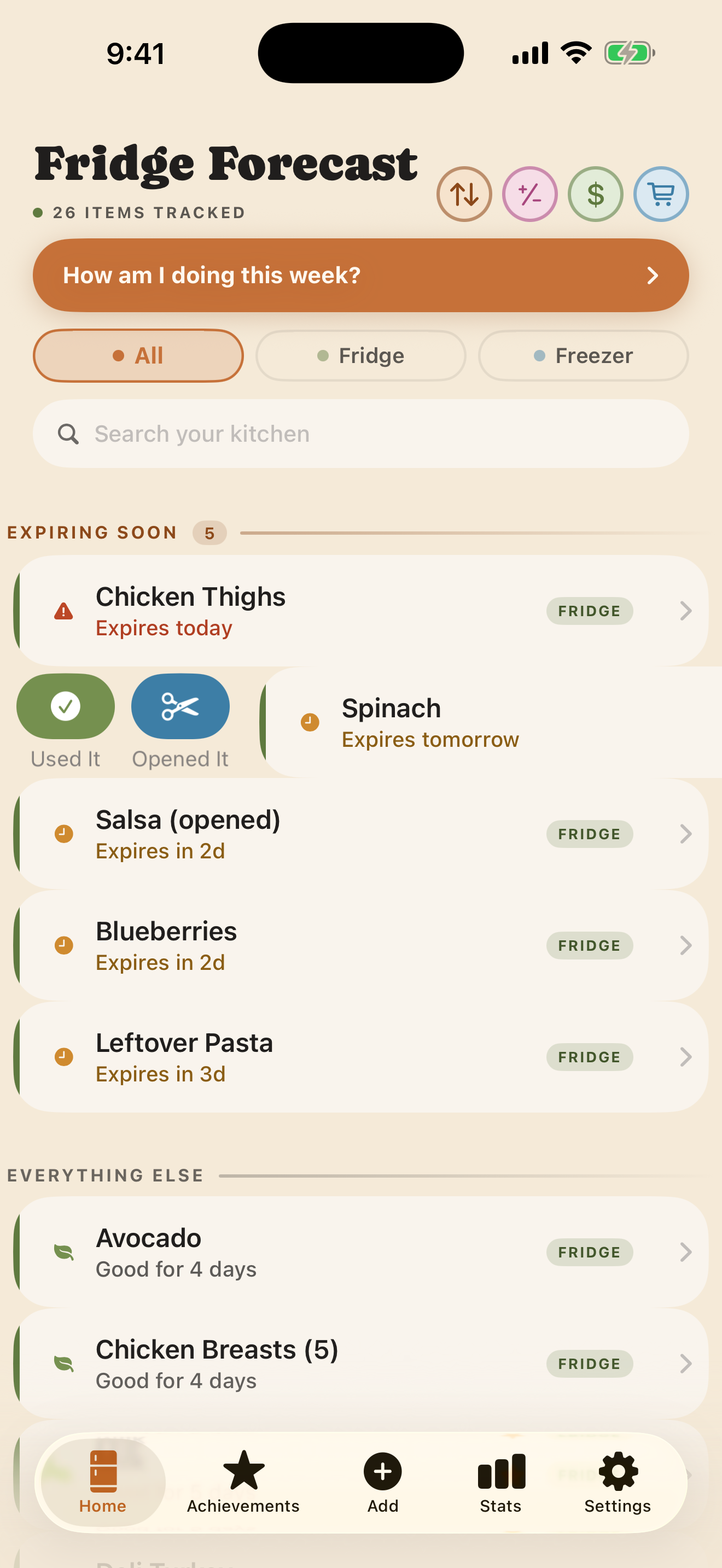
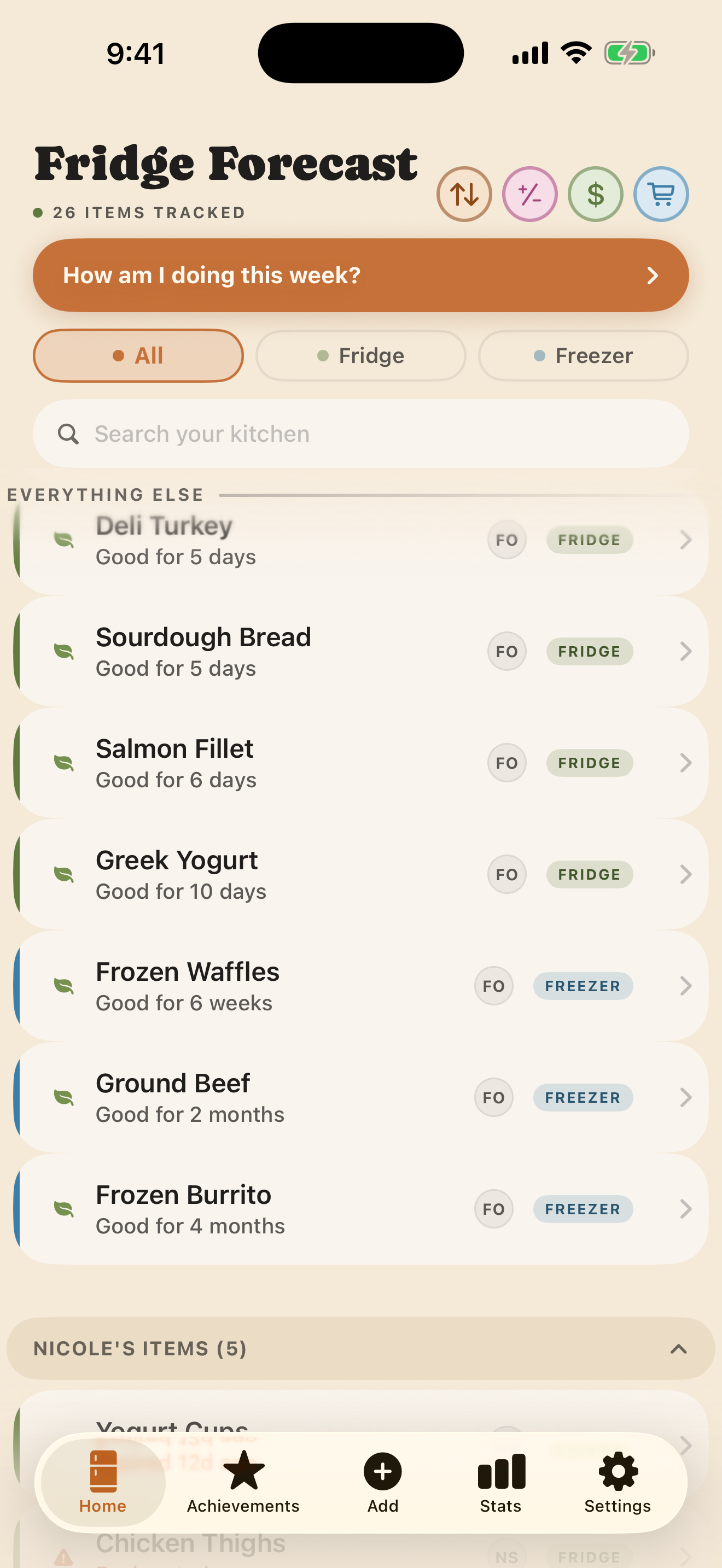
Current Fridge Forecast Home screen in the Organic Day theme
Organic · Day
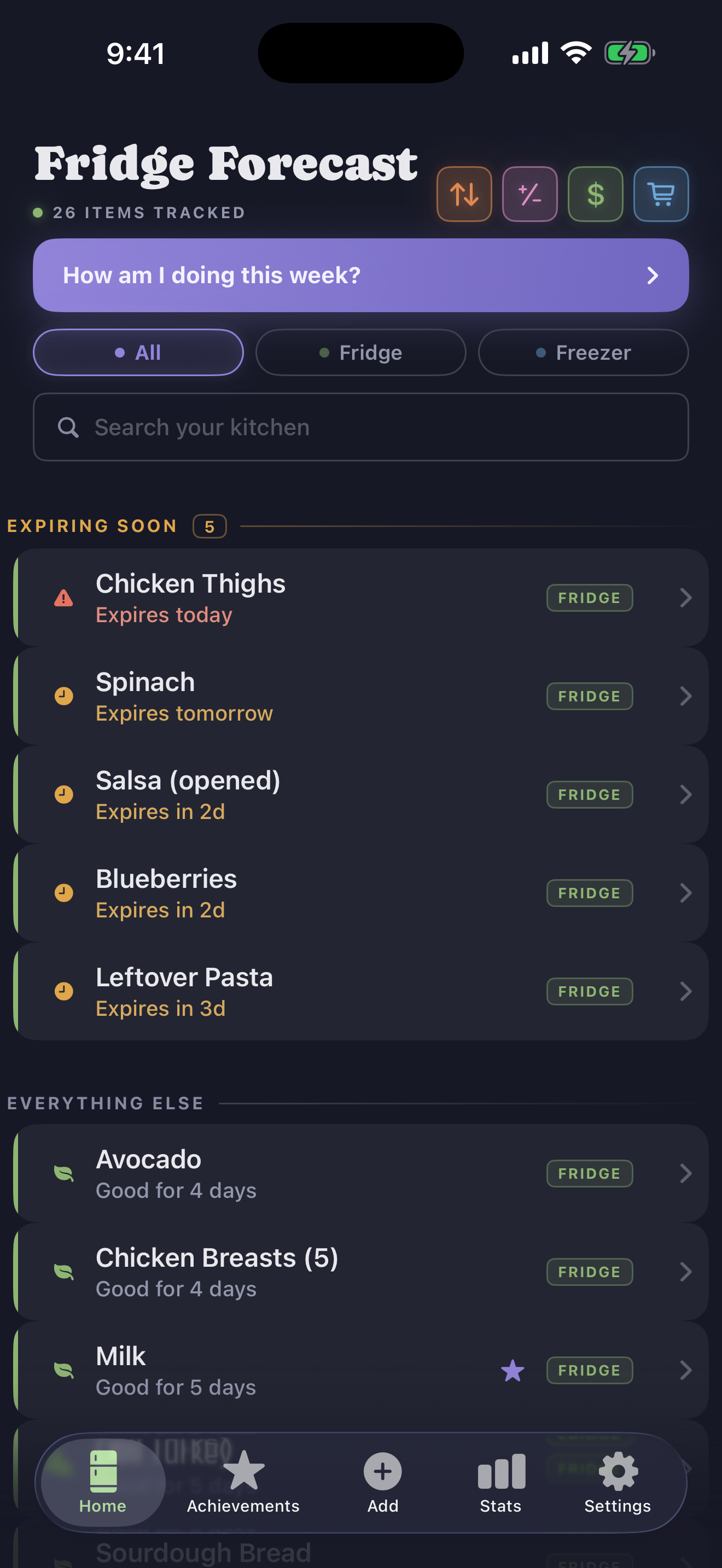
Current Fridge Forecast Home screen in the Nocturne Night theme
Nocturne · Night
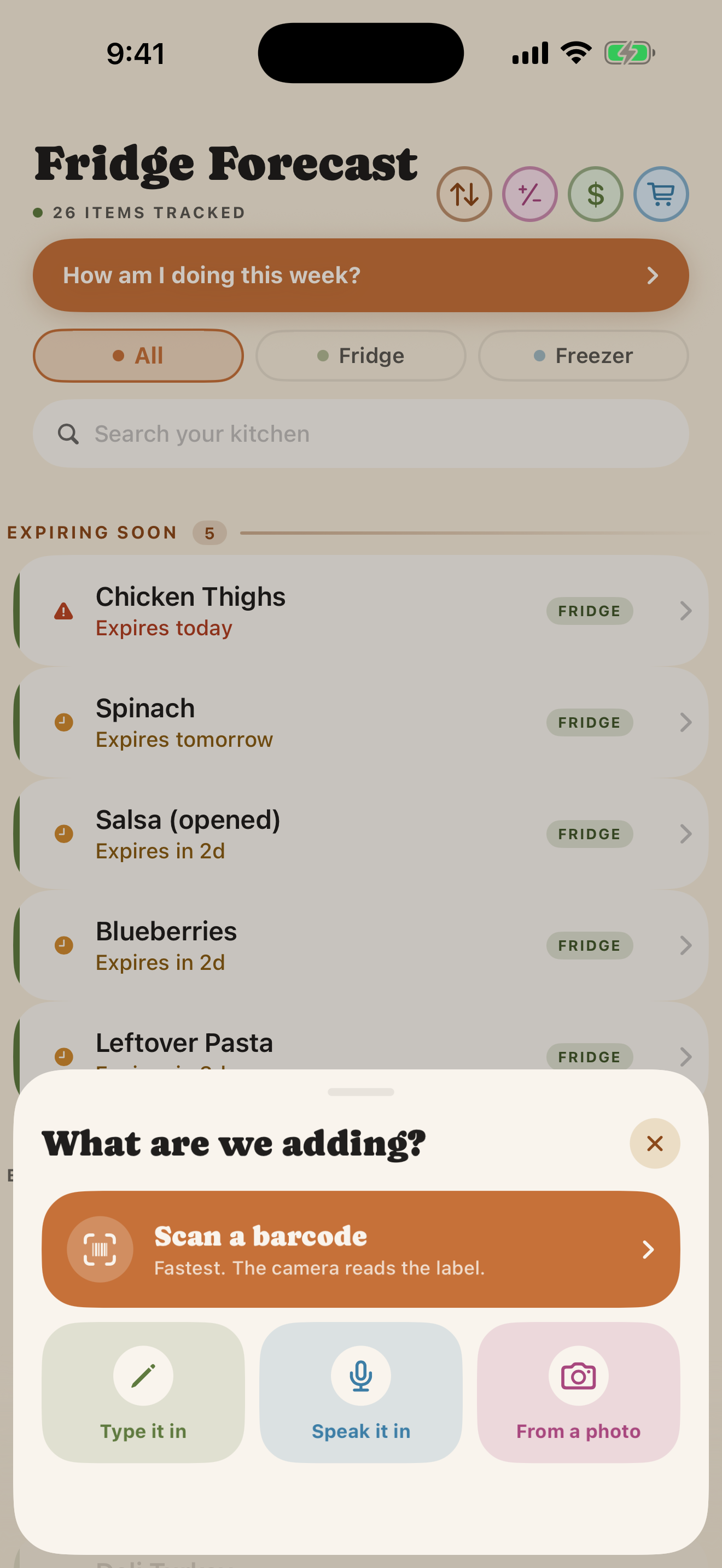
Seven ways inuse whichever fits now
Your kitchenis yours, not ours

Out of sight becomes out of mind.

Put what needs using where you will see it.

Use the food you already bought.

01THE IPHONE APP

The app now meets you
where the day went sideways.

Seven ways to get food in. Five honest ways to resolve it. And graceful ways back in when you were interrupted, forgot, or simply did not know.

01 · INTERRUPTION IS NORMAL

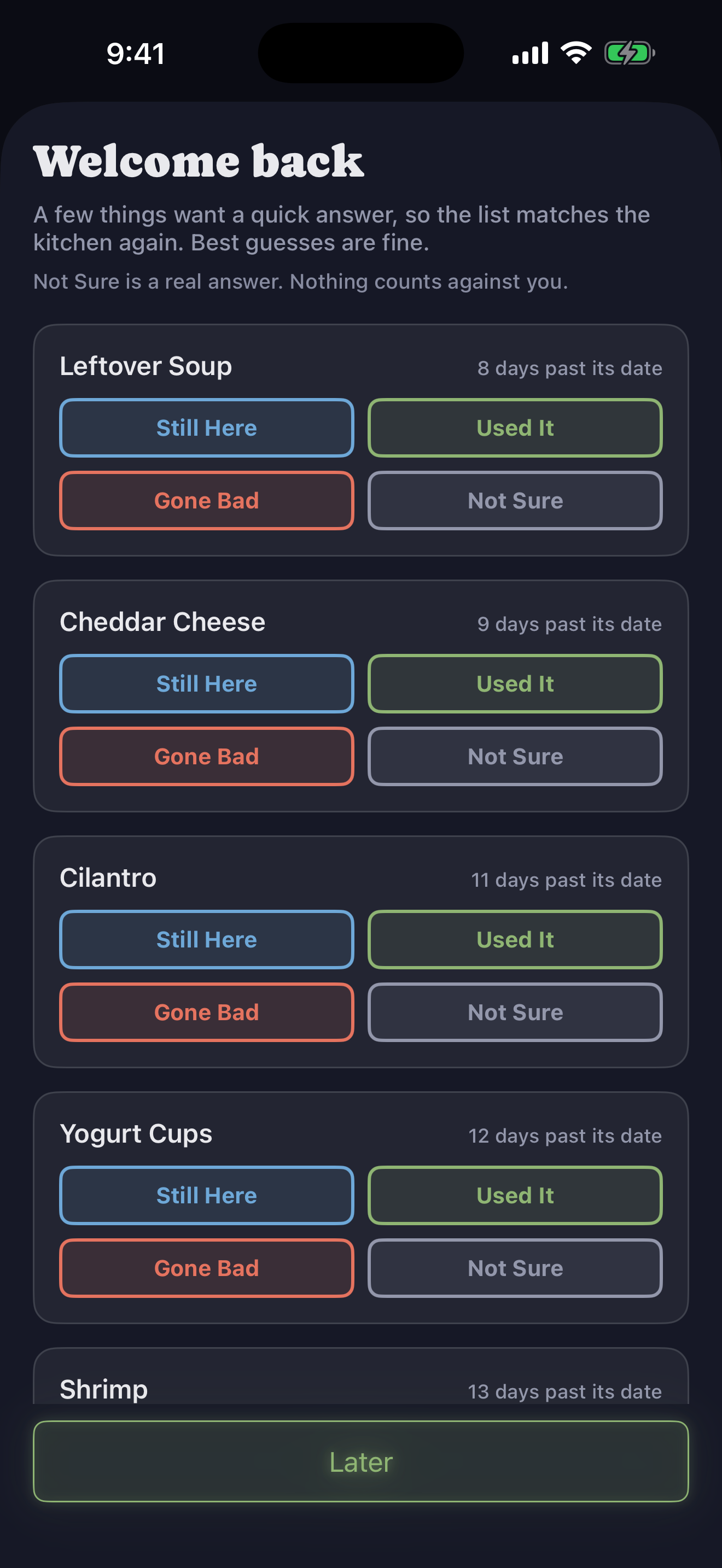
Come back without having to reconstruct the week.

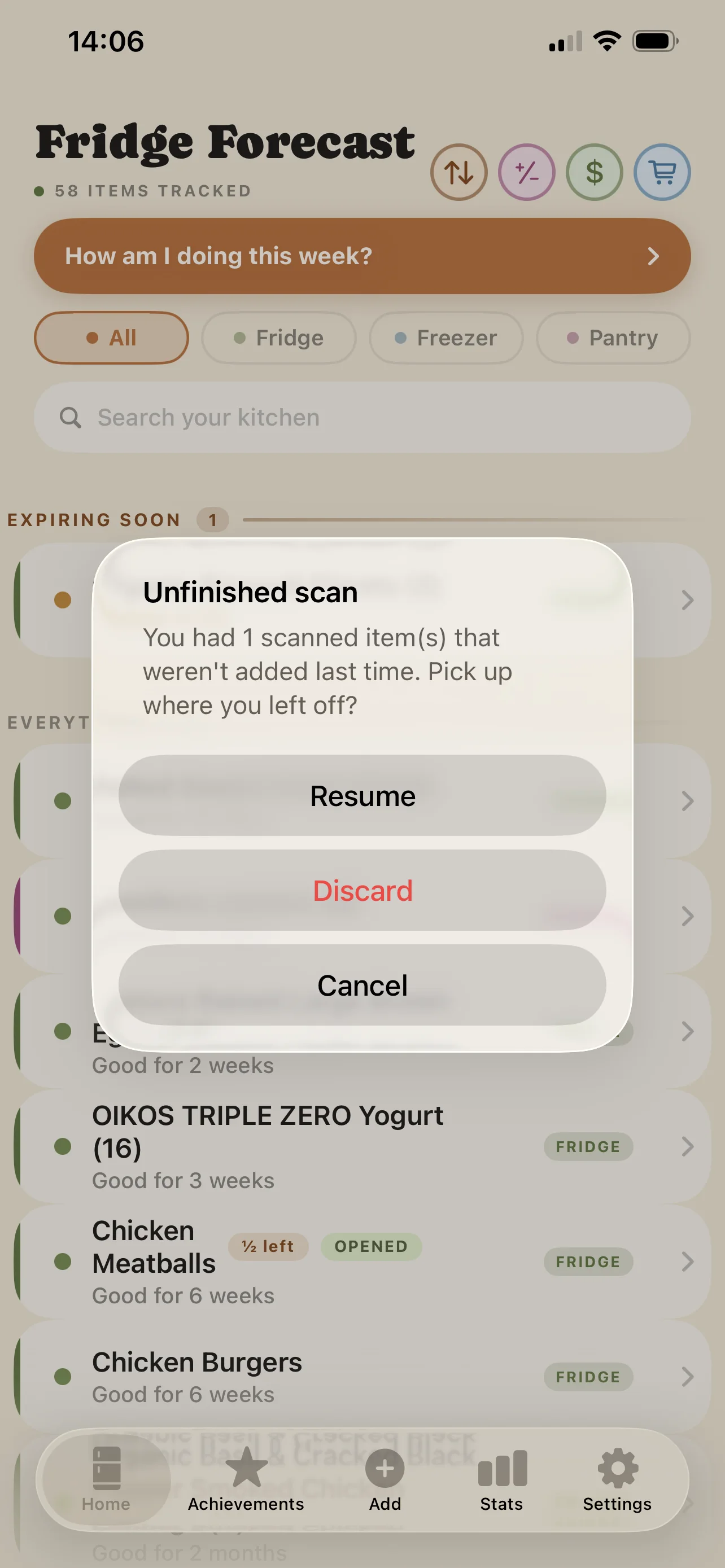
After a few days away, a quick sweep asks what is still here, used, gone bad, or honestly unknown. If a scan was interrupted, the draft waits for you instead of vanishing.
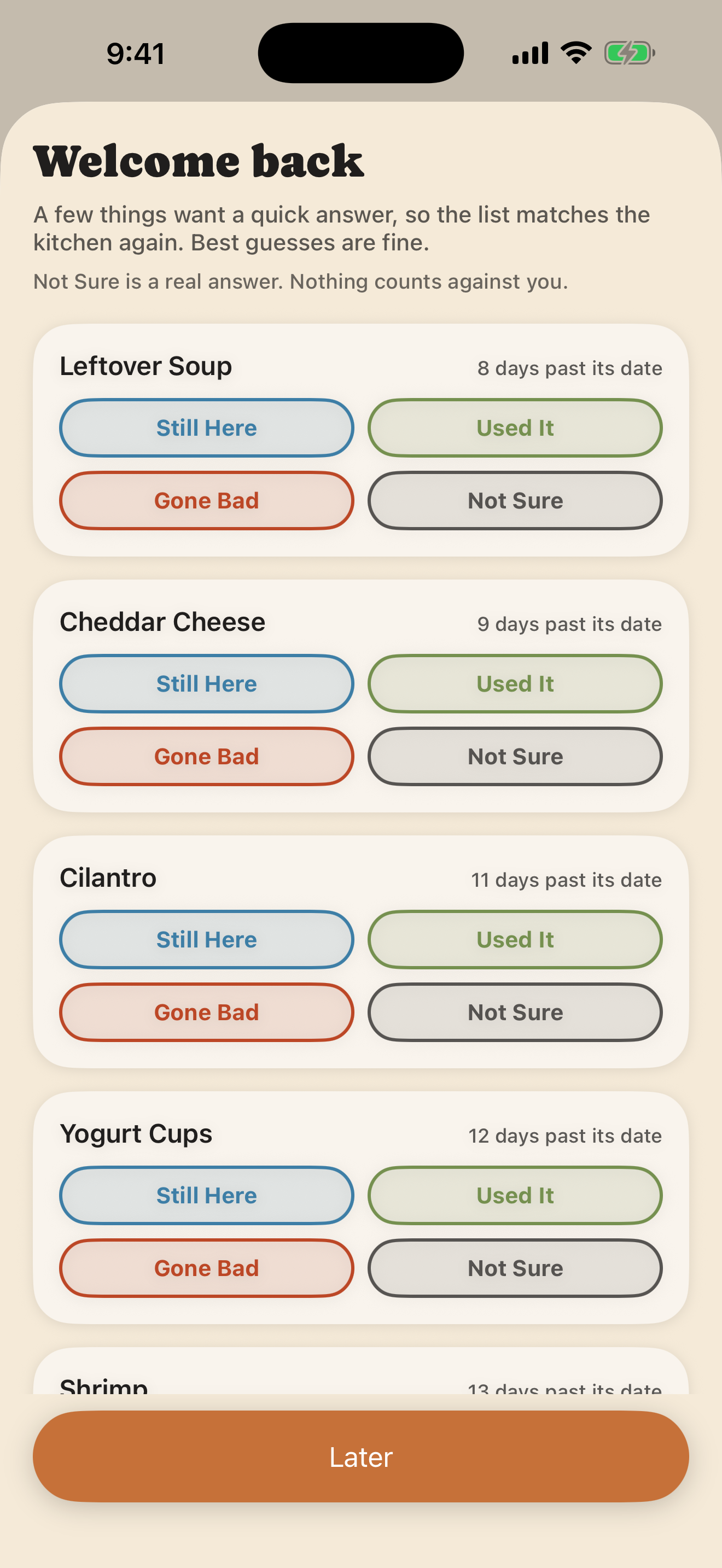
Current Welcome Back check-in with Still Here, Used It, Gone Bad, Not Sure, and Later choices
Welcome Back · best guesses welcome
Unfinished scan recovery offering Resume, Discard, or Cancel
Crash-safe scan draft · Day
02 · RECEIPTS, WITHOUT THE DATA ENTRY

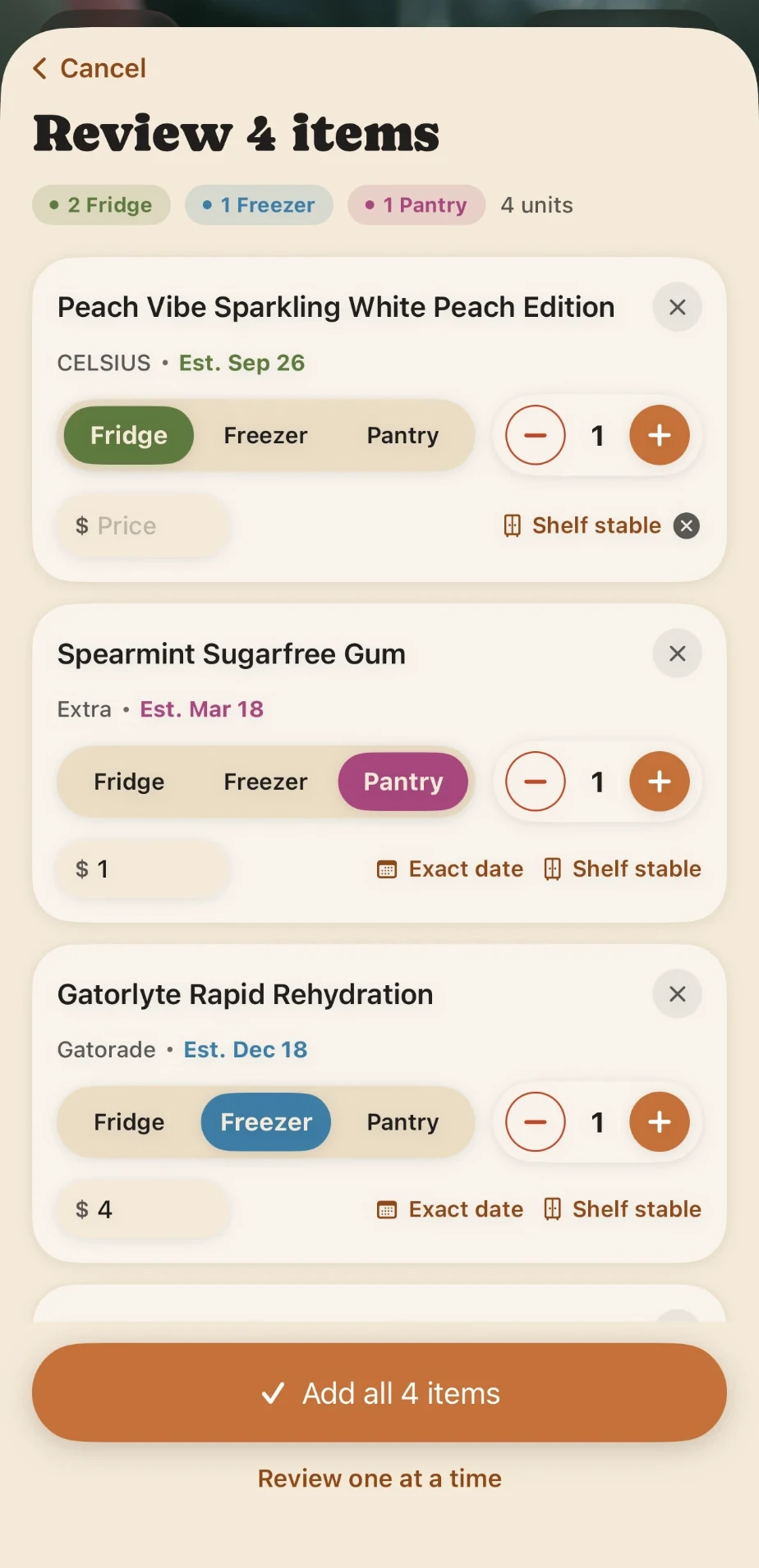
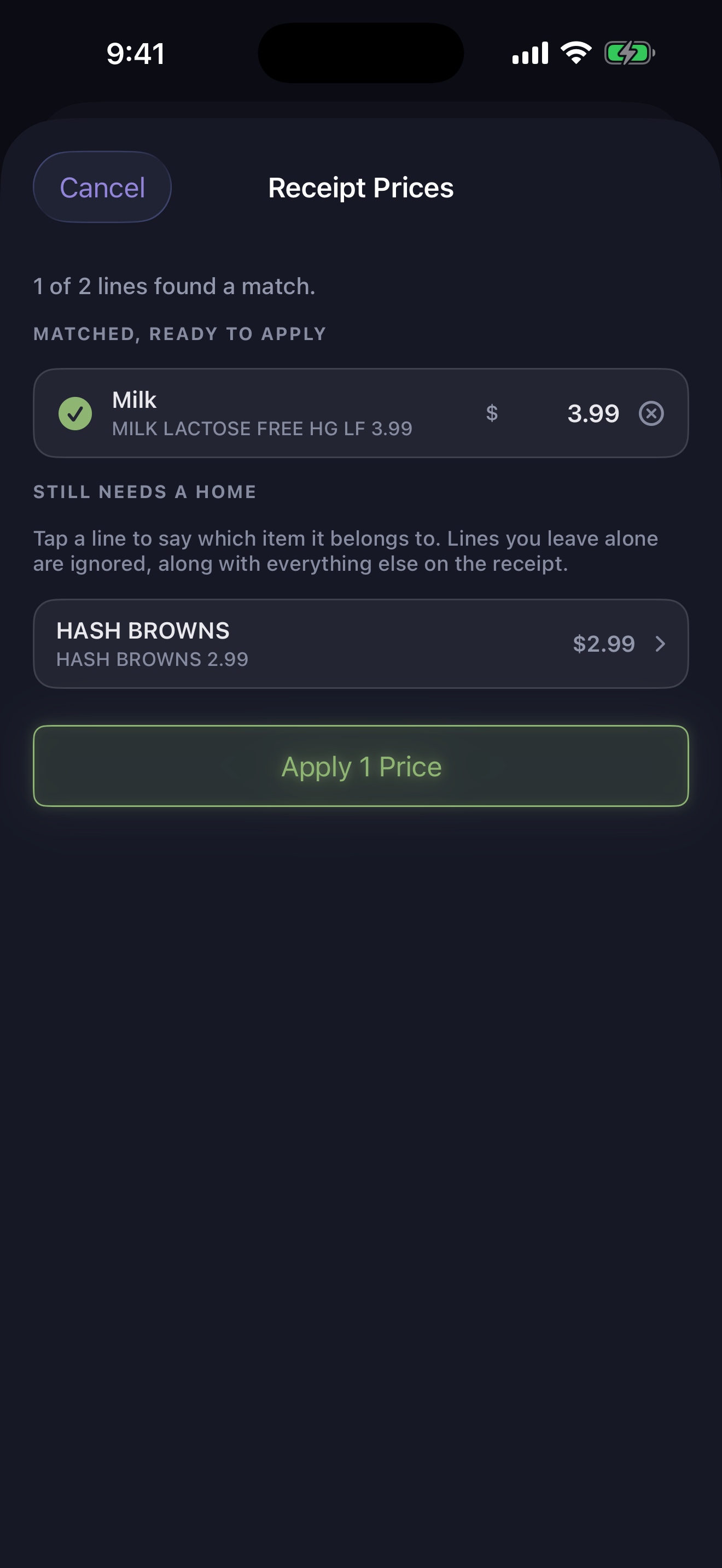
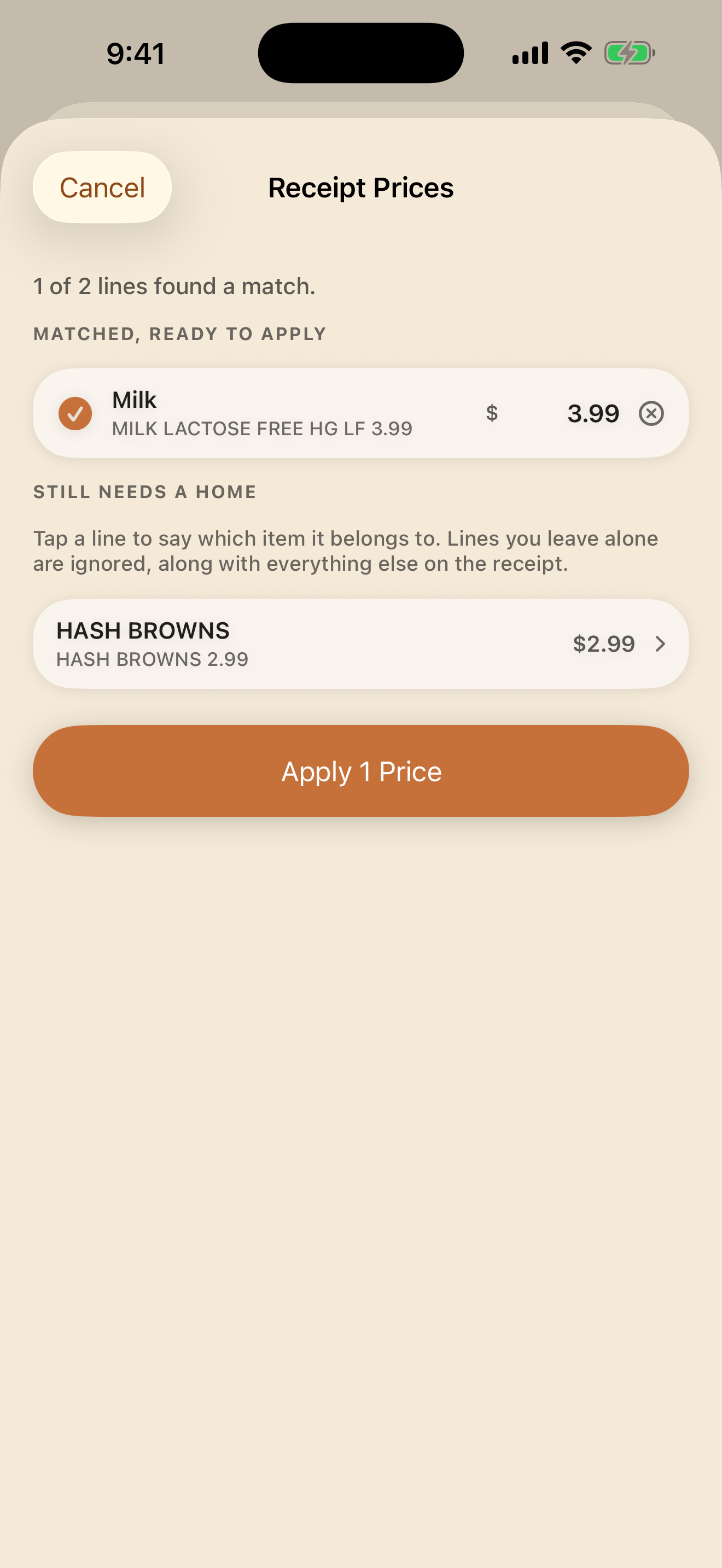
A real 35-line receipt became two clean price matches.

Scan a receipt after adding groceries. Fridge Forecast matches the lines it can, lets you place the ambiguous ones, and ignores everything else. Prices become better waste data without becoming homework.
Current receipt review screen matching grocery prices to food items
Receipt price matching · proven on a real receipt
03 · NO DEAD ENDS

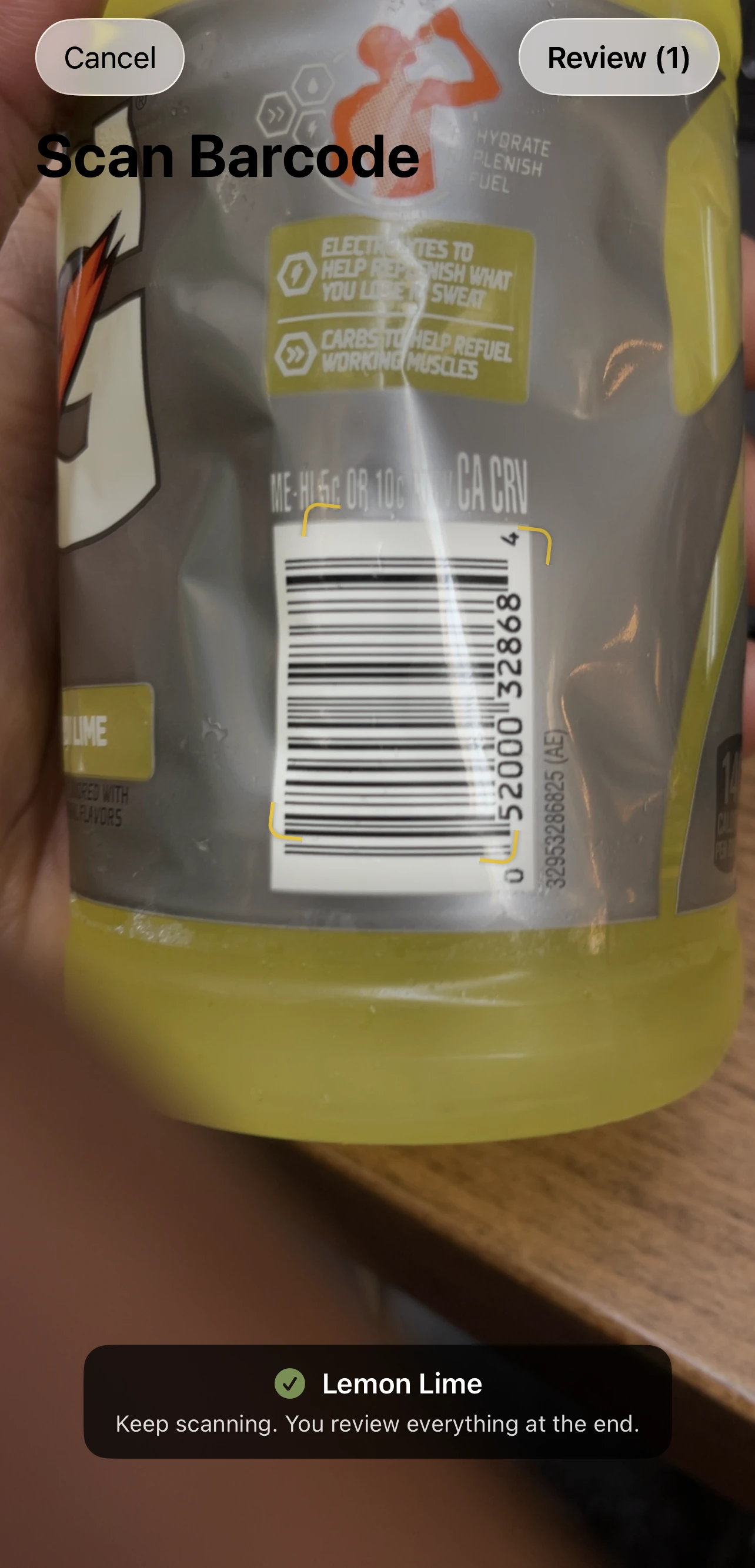
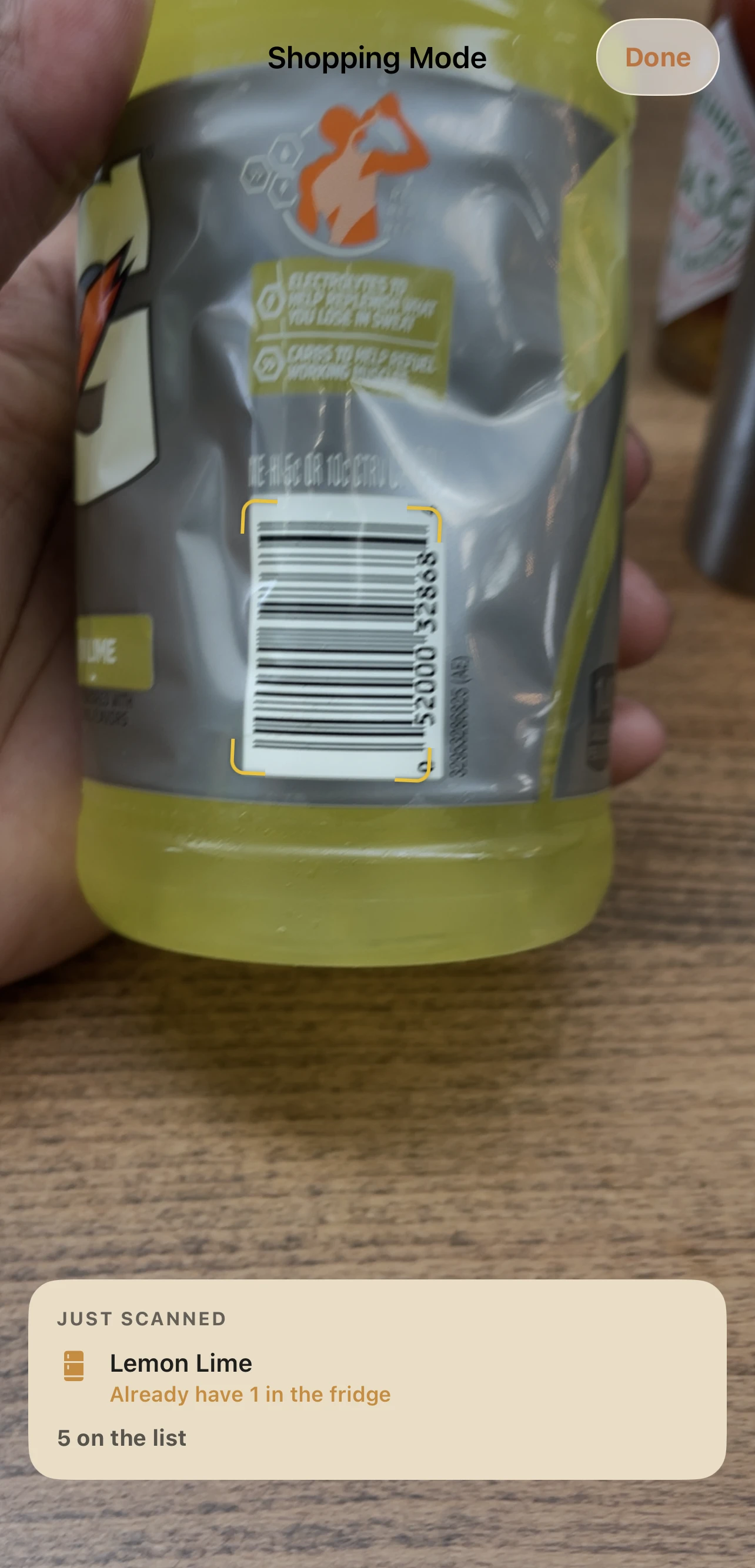
An unknown barcode stays in the flow.

The scanner says when it does not recognize something, keeps scanning, and gives you an optional name field for review. An imperfect database never gets to stop the whole trip.

Barcode scanner acknowledging an unknown item and offering an optional name field
Unknown barcode · keep moving
04 · PATTERNS, NOT GRADES

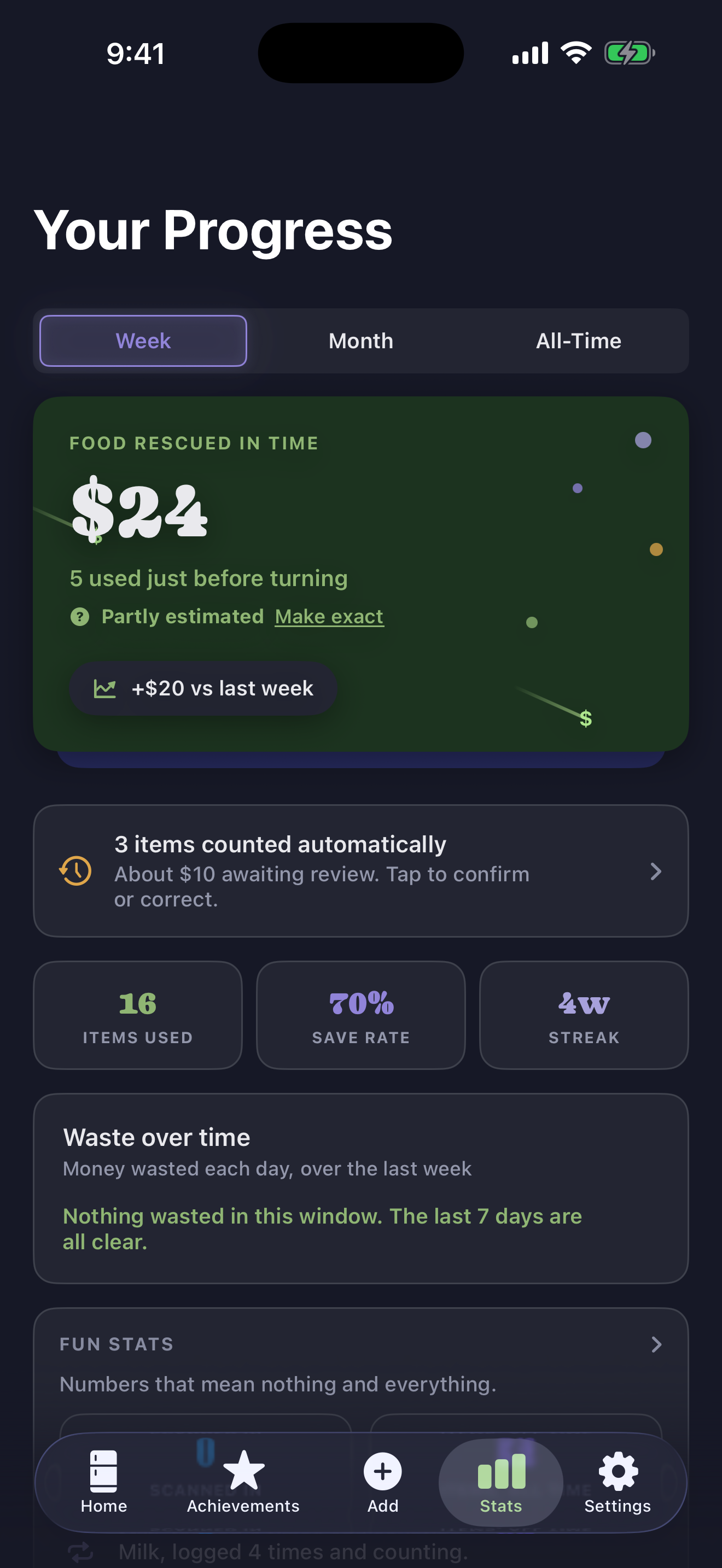
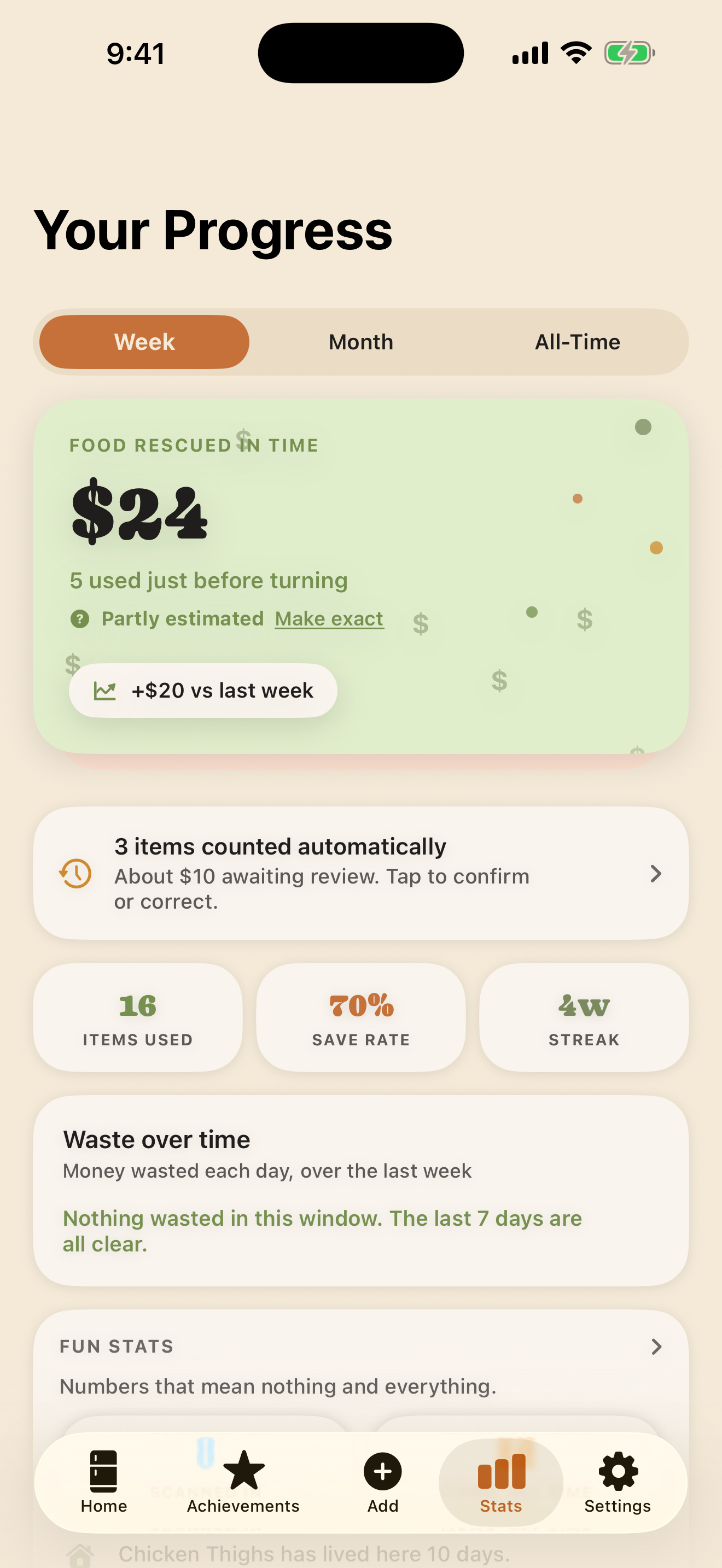
See what happened—and the odd little facts worth enjoying.

Compare any stretch with the one before it, see common waste reasons in your own words, and find the lighter facts too: all-time items, repeat guests, and the thing that has lived there longest.
Current Progress screen showing the food rescued this week
Your Progress · Organic
05 · HELP IN THE APP

The manual is folded into the moments that need it.

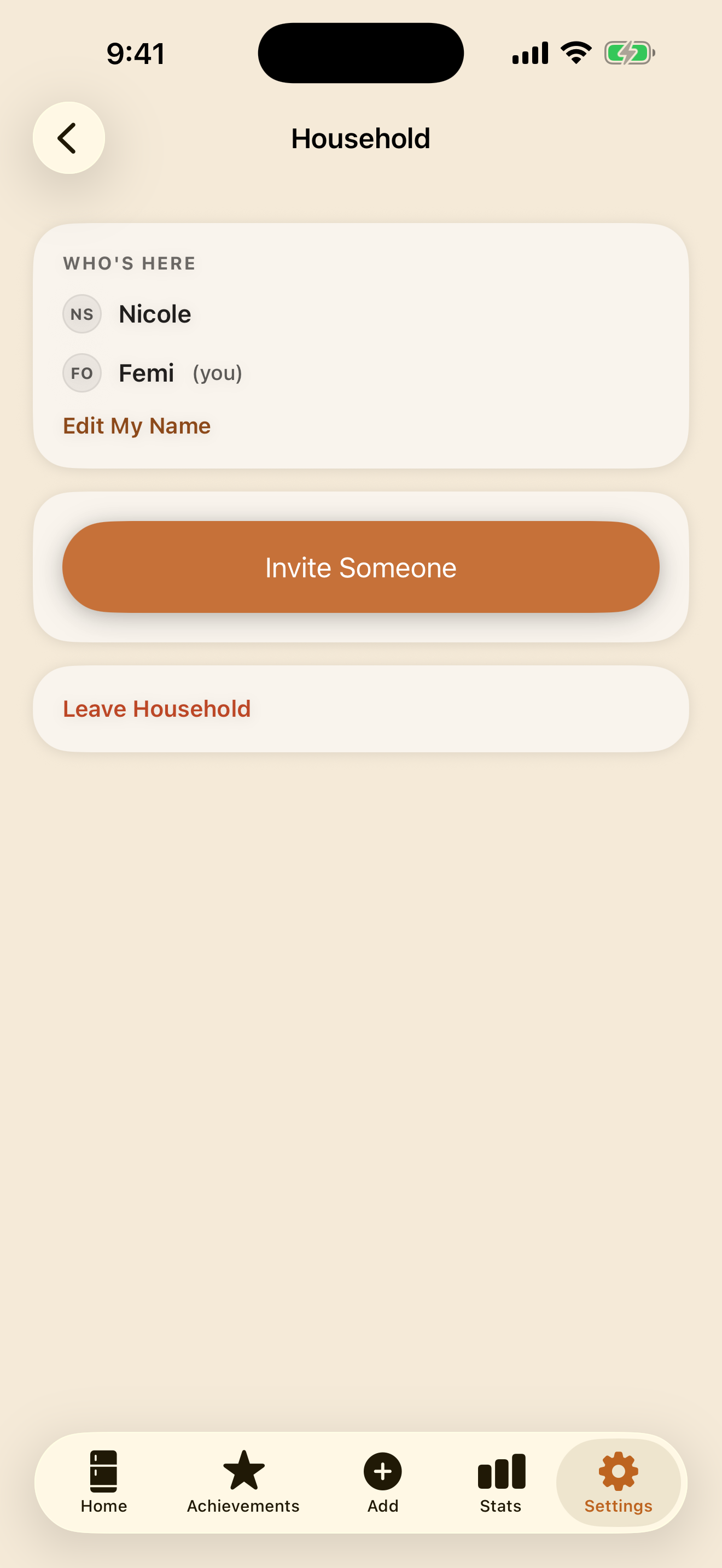
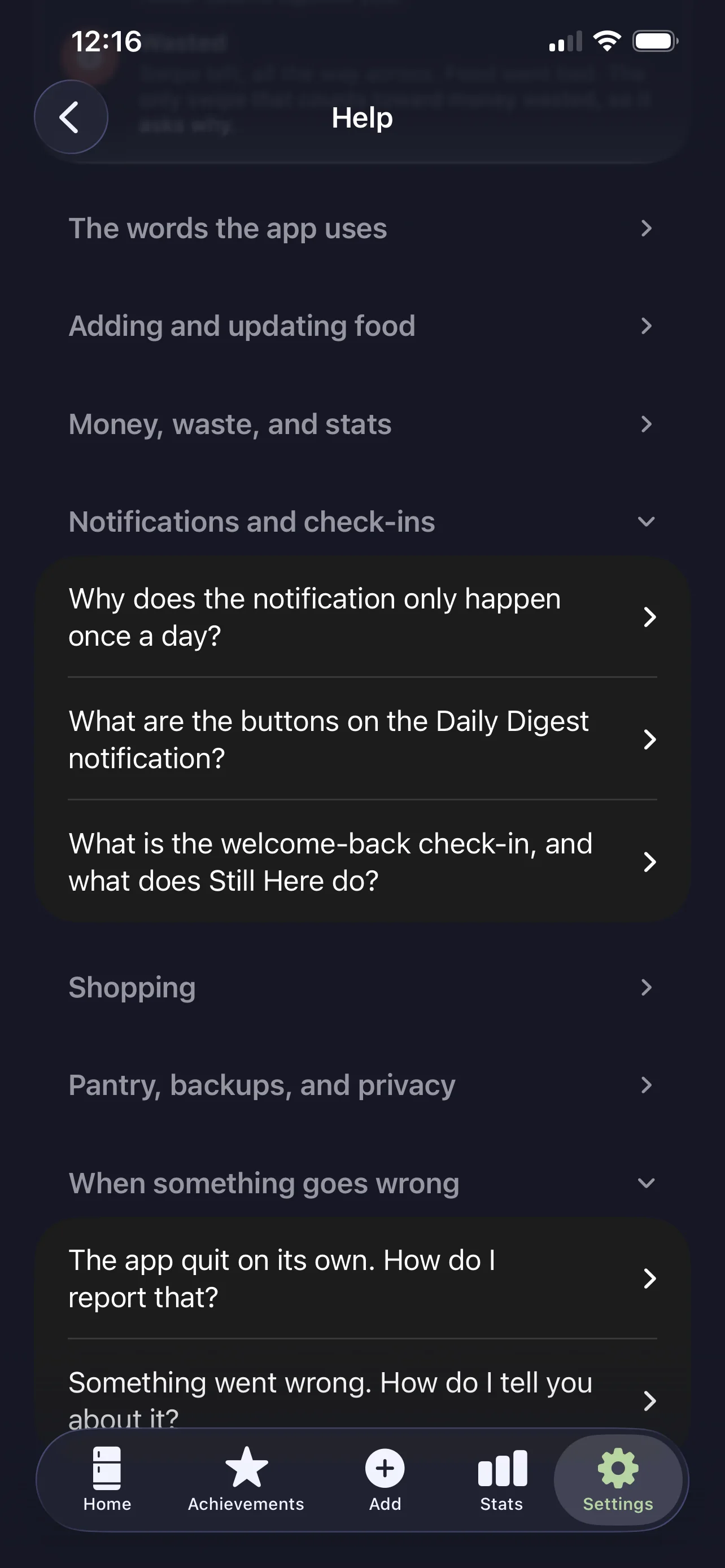
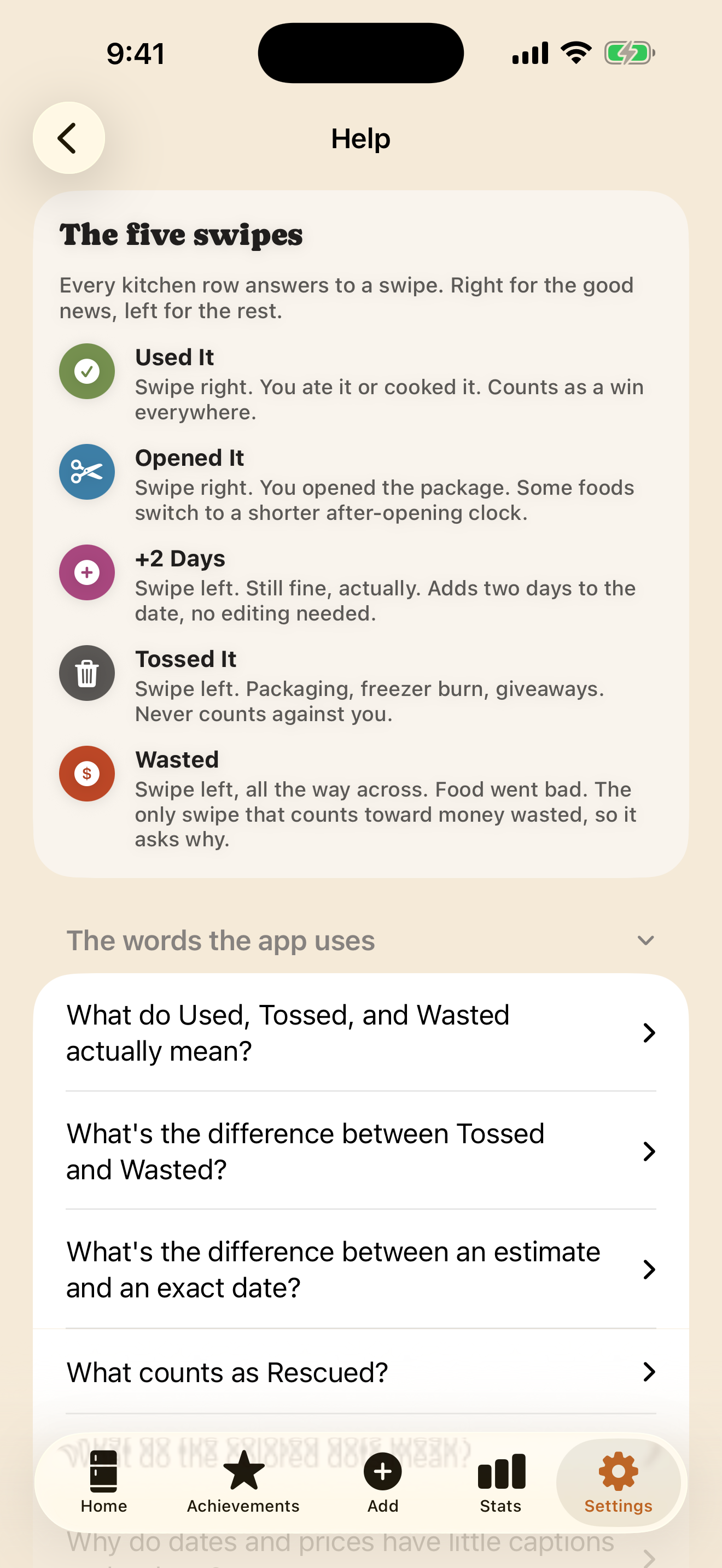
A plain-language Help center explains the words, adding, money, notifications, shopping, privacy, and recovery. The Five Swipes card makes the core loop visible in one screen.

See the complete Day and Night tour
Fridge Forecast Help center categories in Nocturne theme
Help center · Nocturne
Current Five Swipes guide explaining Used It, Opened It, plus two days, Tossed It, and Wasted
The Five Swipes · Organic
NEXTHOUSEHOLD SHARING · BUILT, IN REAL-WORLD VALIDATION

One kitchen.
More than one iPhone.

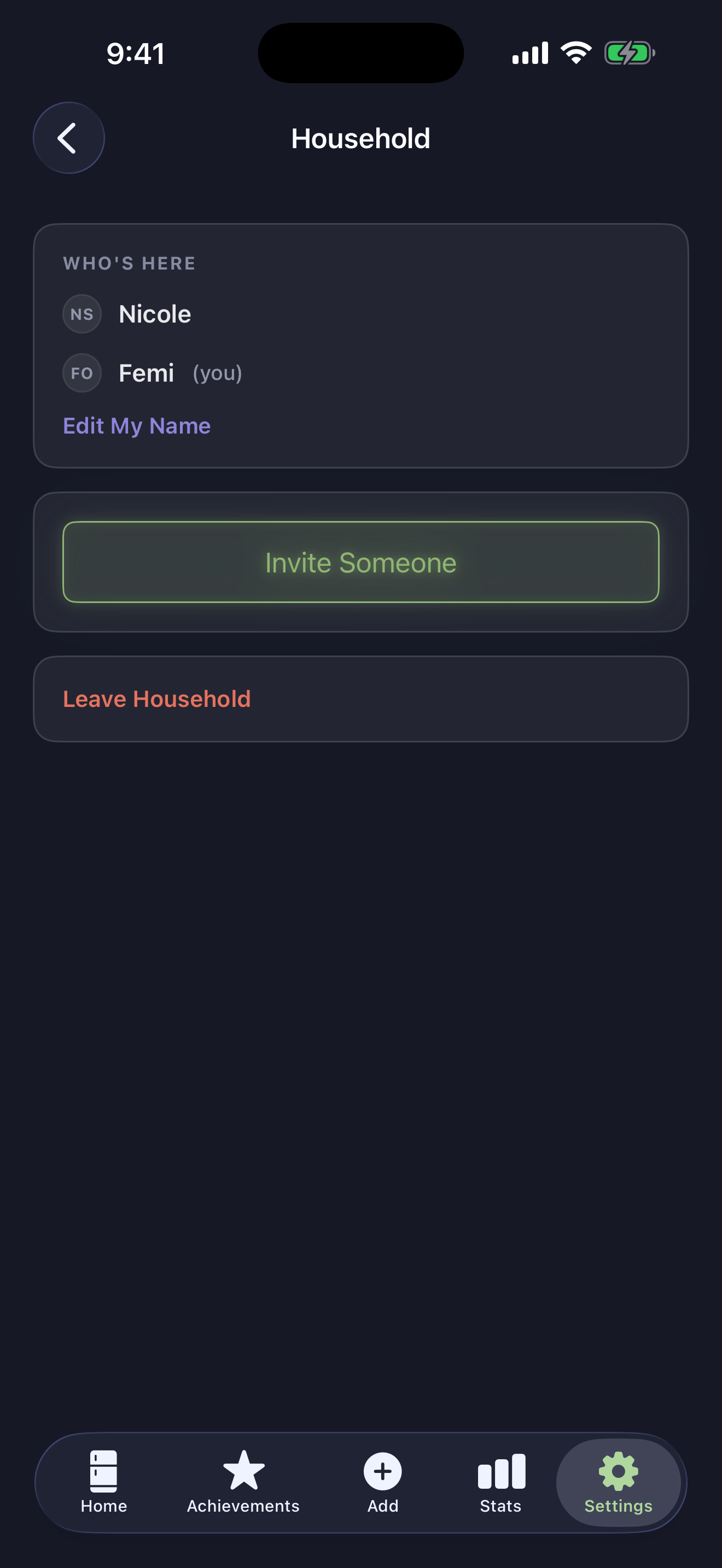
Two people who live together independently called this the missing piece. So it moved to the front. Create, invite, and accept are built, and the shared-kitchen screens are ready. We're finishing the two-phone proof before it joins the public beta or App Store release.

TESTING ON TWO PHONES Not yet in the public beta
YOUR PHONEChicken meatballs½ left · OpenedUpdated just now
Shared kitchenvia iCloud
THEIR PHONEChicken meatballs½ left · OpenedUp to date
01FoundationShared data model and safety bridge
02Merge rulesConcurrent edits have a clear answer
03Invite flowCreate, invite, accept
04Two-phone proofTwo people, two iCloud accounts
SHARED WITH THE HOUSEHOLD

The kitchen itself.

Inventory, shopping list, quantities, dates, waste outcomes, and the review state everyone needs to agree on.

STAYS PERSONAL

The way the app feels to you.

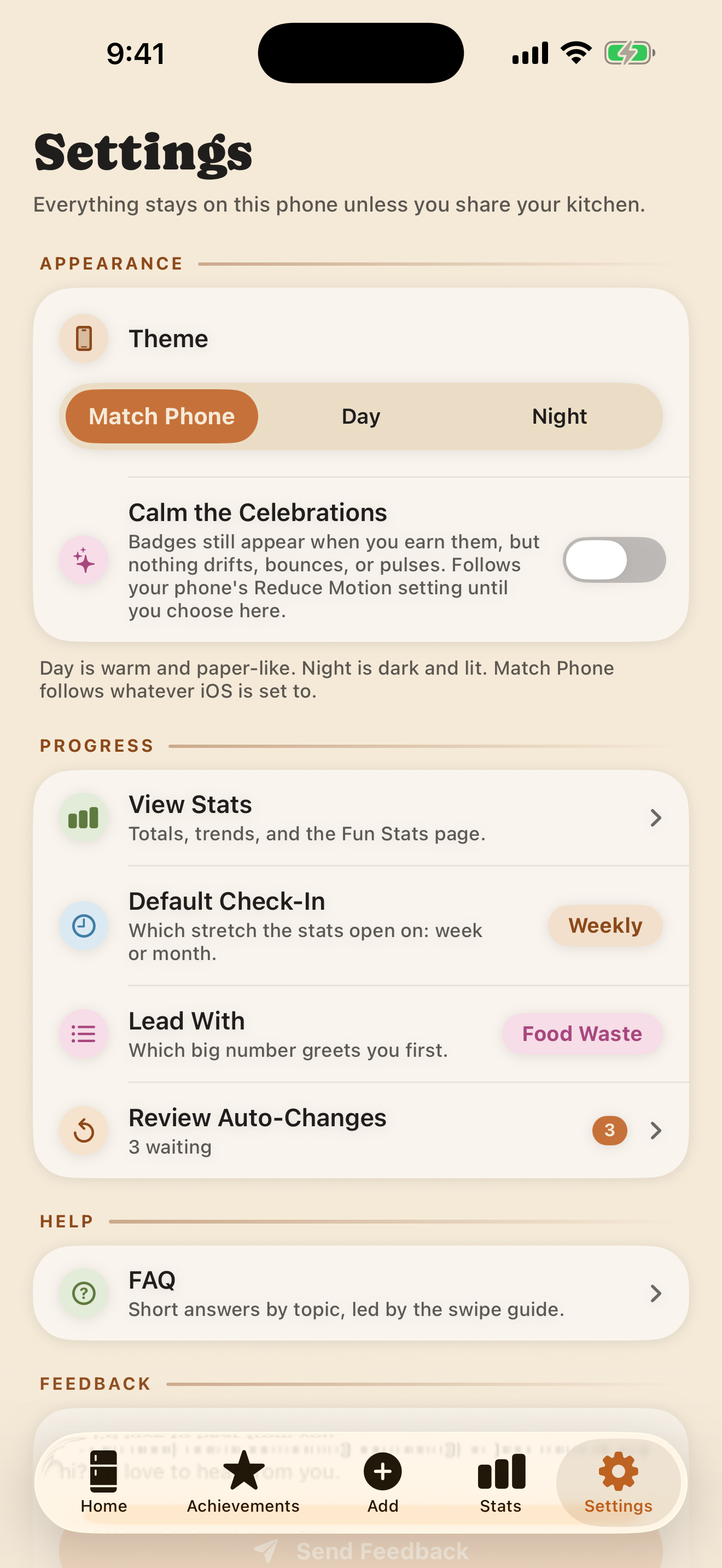
Theme, digest time, thresholds, widgets, accessibility choices, and your personal settings stay yours.

THE PRODUCT RULE

Coordination, never surveillance.

No member waste rankings. No “who forgot this?” copy. A household history exists to undo mistakes and explain changes—not score people.

Follow the household build on the roadmap
NOWREAD-ONLY WEB COMPANION · OPEN NOW

Your kitchen beside
your online cart.

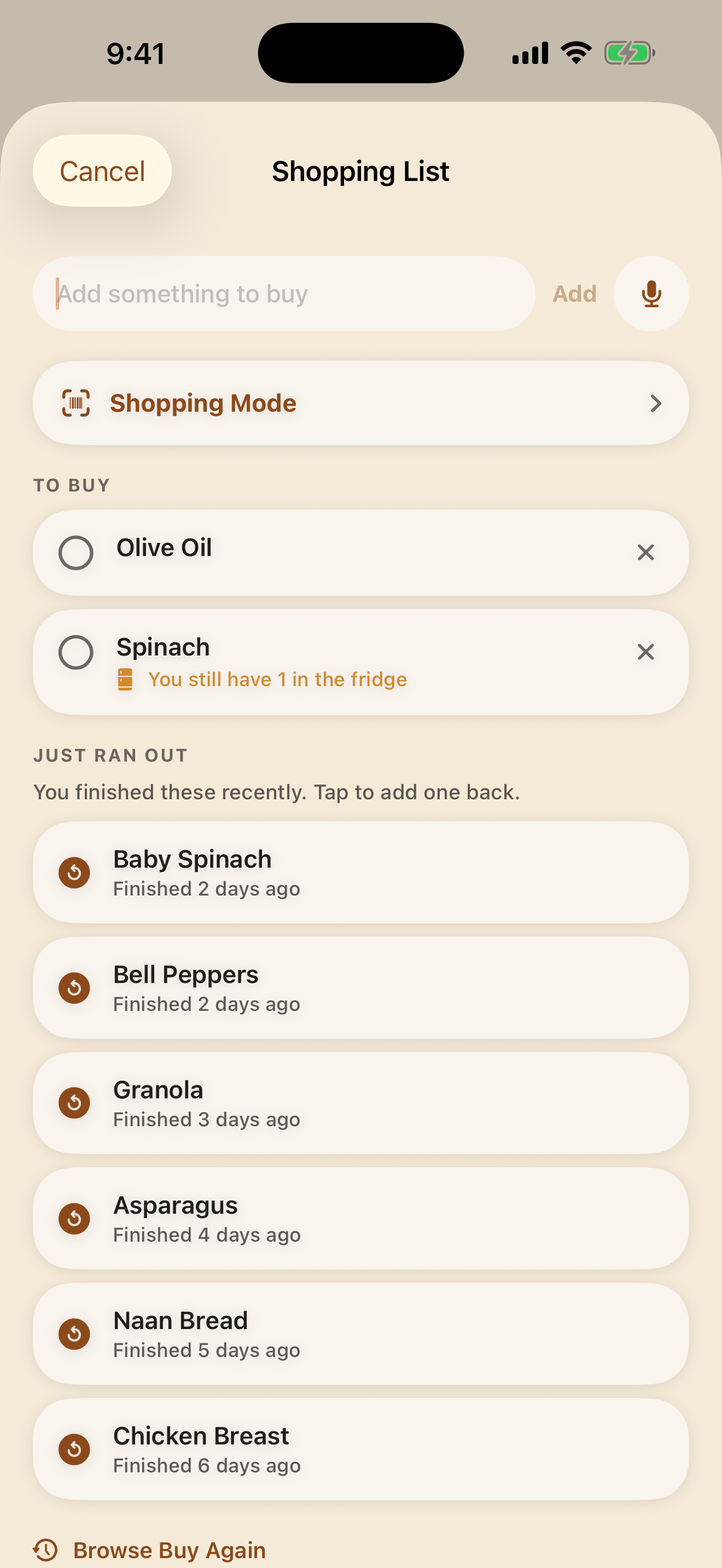
Open the Kitchen companion in a slim window beside your grocery store. Sign in with your Apple ID to check what you already have; this page reads your own iCloud kitchen and cannot change your food. Household access is still being validated, so the companion currently reads your personal kitchen only.

Open your Kitchen
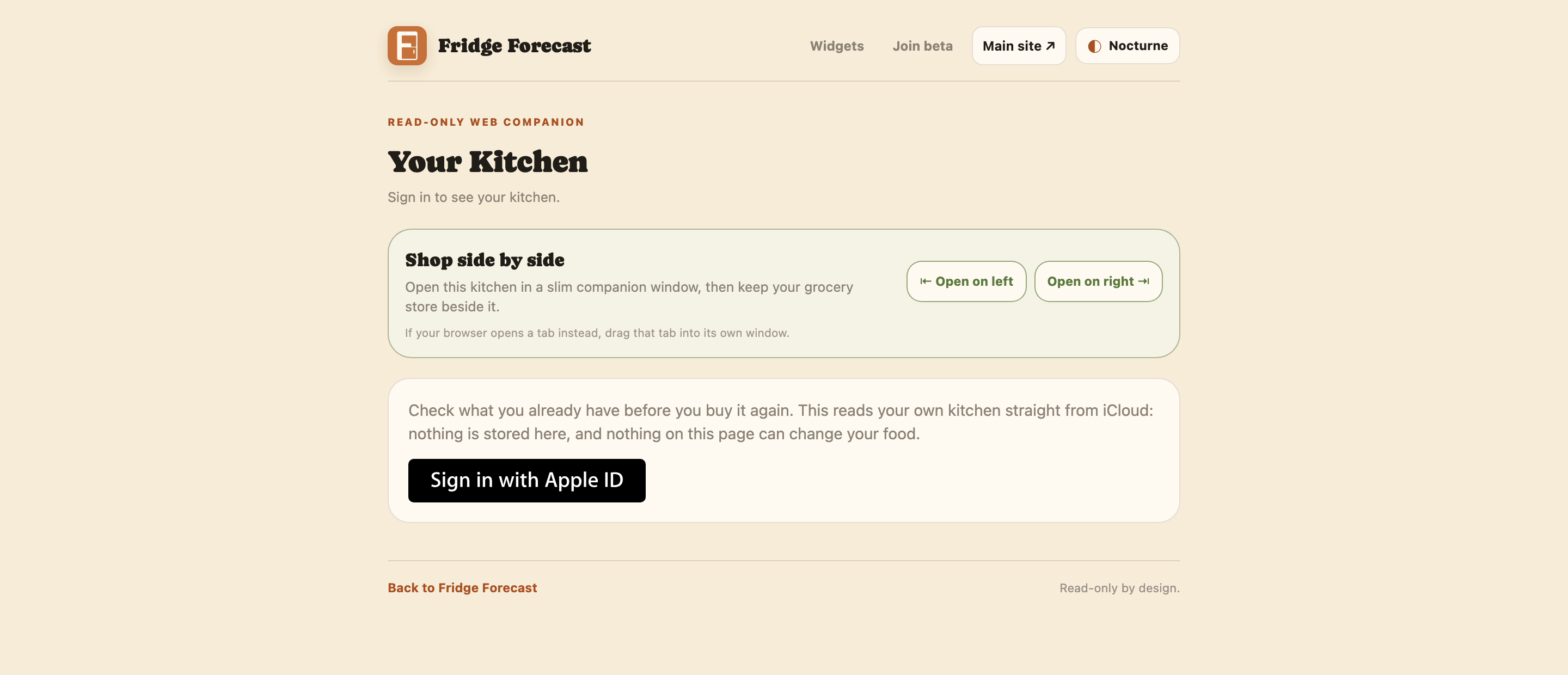
The Organic Kitchen web companion with Apple sign-in and side-by-side shopping controls
Organic by default · Nocturne available · read-only by design.
Explore an earlier shopping-list prototypeSample browser data only · not connected to the Kitchen companionOpen demo ↓
Fridge ForecastOrdering desk
Demo kitchen data
YOUR KITCHEN

What's already home

7
EggsGood for 6 days
Fridge×12
Baby spinachUse today
Fridge×1
Chicken breastsUse in 3 days
Fridge×5
BlueberriesUse tomorrow
Fridge×1
Frozen burritosGood for 2 months
Freezer×4
Multicolor pastaNo date
Pantry×2
SalsaOpened, use tomorrow
Fridge×1
YOUR SHOPPING LIST

Keep the cart honest

3
Eggs You have 12. Good for 6 days.
AT HOME
Oat milkStill to buy
Baby spinach You have 1. Use today.
AT HOME
LimesIn the cart

This prototype uses sample data in your browser. It is not connected to the iPhone app.

TRUST IS A FEATURE

Nothing ships until
“up to date” means it.

The public beta today keeps kitchen data on your iPhone. Optional household sharing is built and undergoing two-phone validation through each member's own iCloud account. There is still no Fridge Forecast account, custom backend, analytics, or ad profile.

No ad profile No shame mechanics No stale guesswork
02THE COMPLETE APP TOUR

The app explains itself
in two moods.

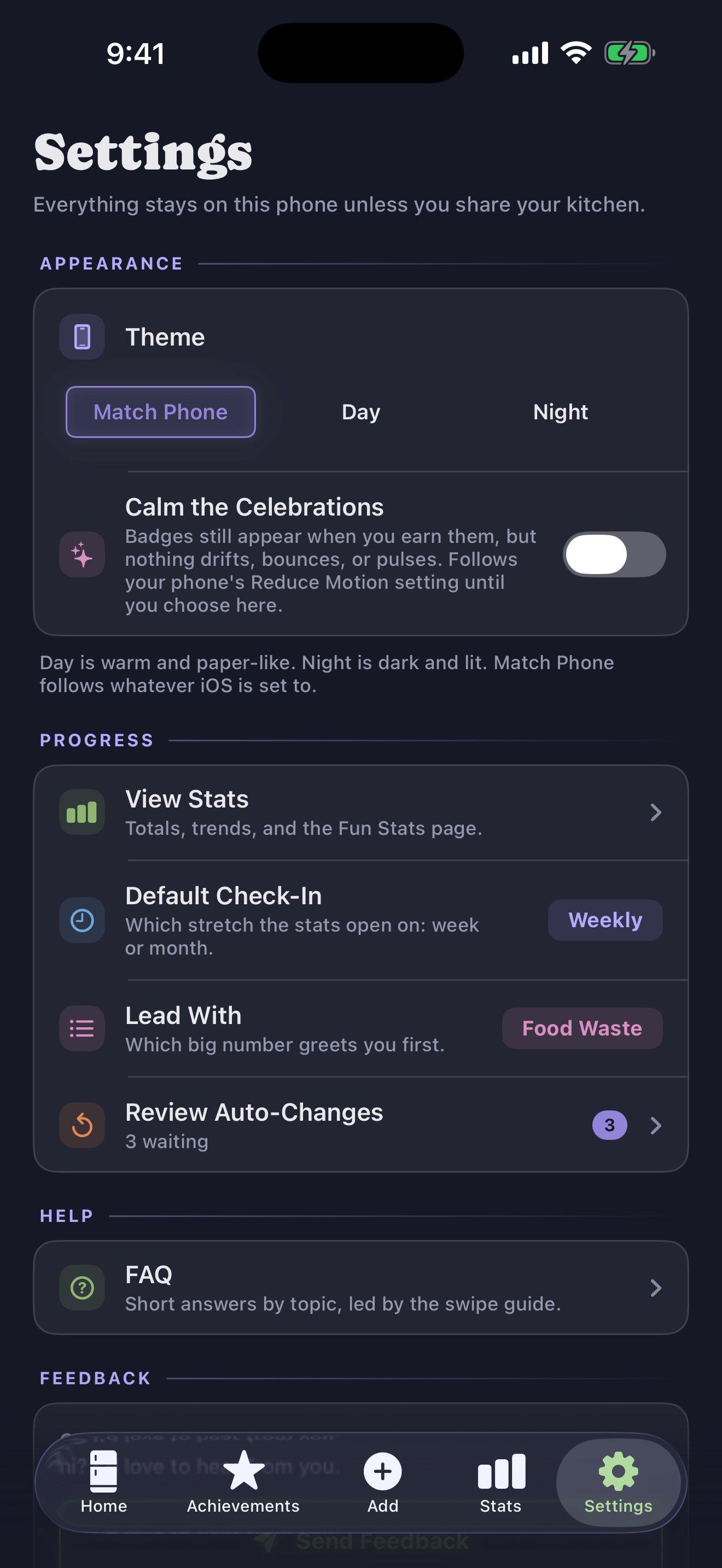
Track in seconds, rescue what needs attention, and see what your habits are worth. Swipe through the complete Day and Nocturne stories.
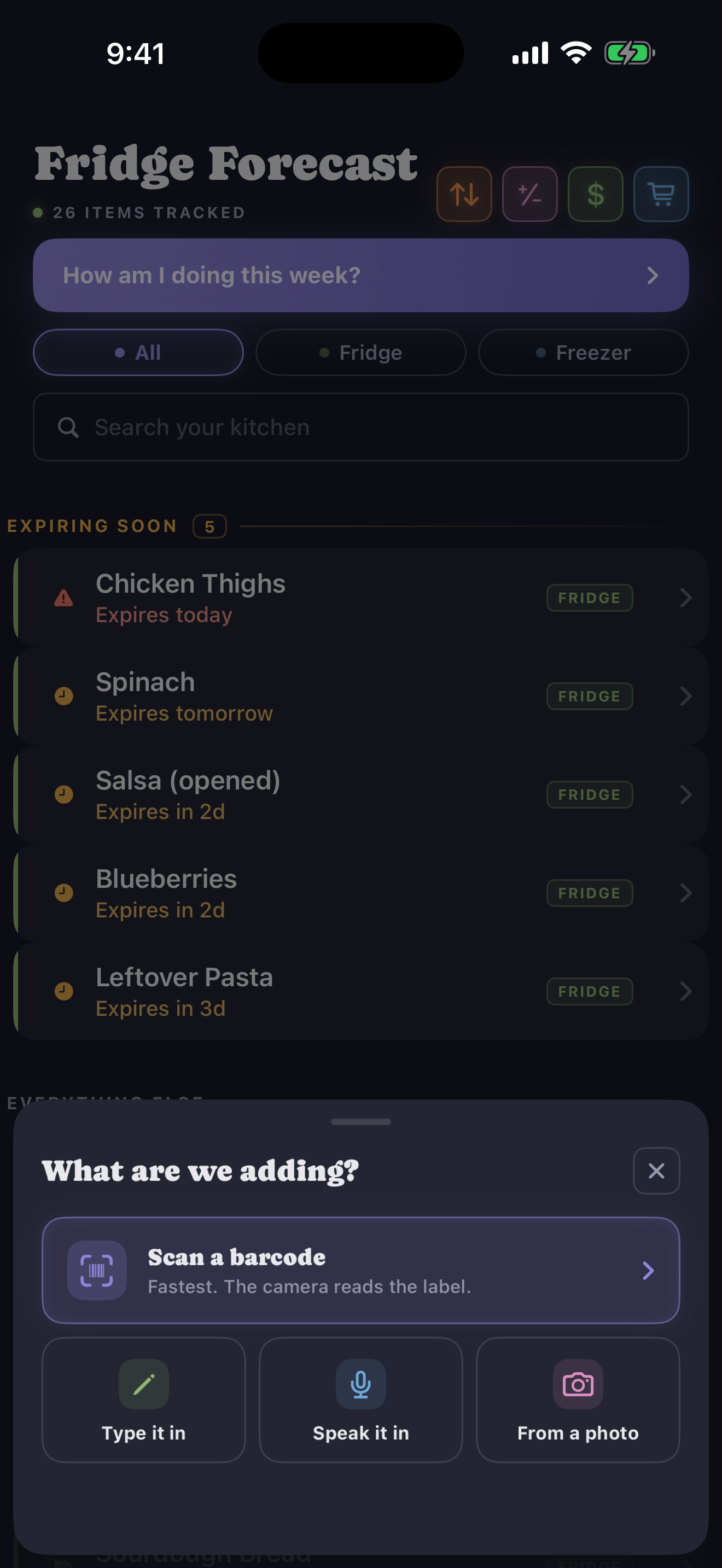
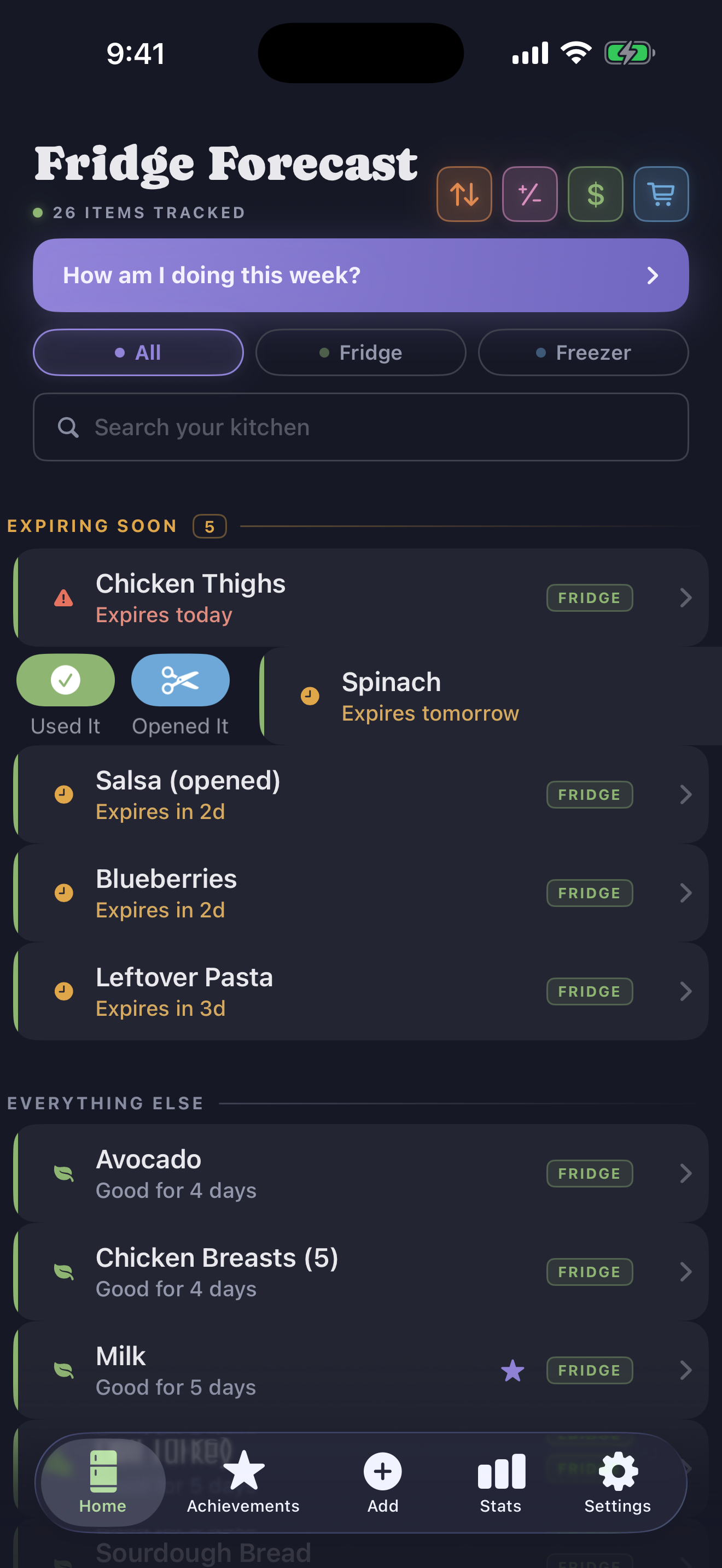
Nocturne
Swipe to tour the night theme →
Five things need you this week
01Five things need you this week
Scan it, snap it, say it, or type it
02Scan it, snap it, say it, or type it
Used it? One swipe
03Used it? One swipe
Missed a week? Catch up in a minute
04Missed a week? Catch up in a minute
See what you saved, and what went to waste
05See what you saved, and what went to waste
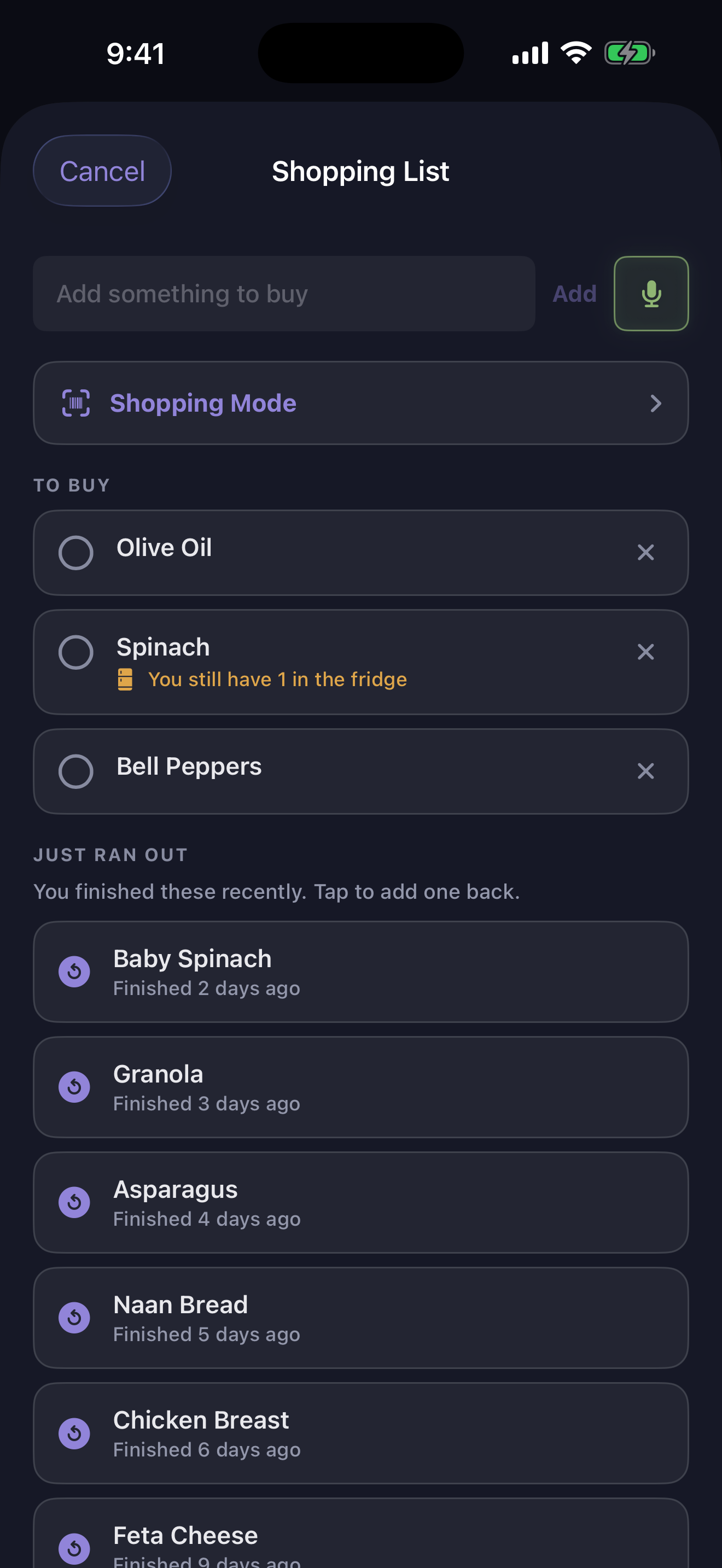
Shop with the kitchen you already have
06Shop with the kitchen you already have
One shared kitchen, shown in a local demo
07One shared kitchen, shown in a local demo
Household Sharing uses your iCloud
08Household Sharing uses your iCloud
Turn estimates into what you really paid
09Turn estimates into what you really paid
No Fridge Forecast account
10No Fridge Forecast account
Day
Swipe to tour the paper-like theme →
Five things need you this week
01Five things need you this week
Scan it, snap it, say it, or type it
02Scan it, snap it, say it, or type it
Used it? One swipe
03Used it? One swipe
Missed a week? Catch up in a minute
04Missed a week? Catch up in a minute
See what you saved, and what went to waste
05See what you saved, and what went to waste
Shop with the kitchen you already have
06Shop with the kitchen you already have
One shared kitchen, shown in a local demo
07One shared kitchen, shown in a local demo
Household Sharing uses your iCloud
08Household Sharing uses your iCloud
Turn estimates into what you really paid
09Turn estimates into what you really paid
No Fridge Forecast account
10No Fridge Forecast account
03IT LEARNS YOUR KITCHEN

It learns your kitchen,
so you stop repeating yourself.

Most trackers make you do the same work forever. Fridge Forecast treats every real detail you enter as something it should never have to ask for again.

Scan a barcode once, and that product's name is instant and offline every time after. Type what you paid for spinach once, and next week's spinach arrives already priced. Put a real date on a food the app has never heard of, and the second bag gets a proper estimate instead of a guess.

And when the app's estimate is wrong about your kitchen specifically, it notices. If reference data says grapes last six days but your fridge keeps them fresh for ten, correct the date twice and the estimate moves to match. One odd package can never rewrite what it knows; a pattern always does.

Personal, without a profile. Price memory, barcode memory, and shelf-life learning stay on your phone. The optional shared kitchen uses your iCloud, not a Fridge Forecast account.

FIRST BAG01
?
SunchokesNew to your kitchen
SHELF LIFENo estimate yet
You add a real dateAUG 09
SECOND BAG02
SunchokesRecognized
SHELF LIFEGood for 9 days
Ready before you ask
$

Prices remember themselves.

Pay it once, it is filled in next time.

Unknown foods teach once.

Date the first one; the next gets a real shelf-life estimate.

Wrong estimates fix themselves.

Once your kitchen disagrees twice, the estimate changes with it.

~900foods and typical prices ship with the app

Everything after that is learned from you and kept on your phone.

MORE FRIDGE FORECAST

Made in the open,
one kitchen at a time.

PUBLIC BETA · NOW OPEN

Try Fridge Forecast
on your iPhone.

Install through Apple's TestFlight app in about a minute. No Fridge Forecast account or analytics. Optional iCloud household sharing is being validated before it joins the beta.